Is your WordPress site truly secure, or are you underestimating its security? This article offers tips and checklists to help you understand what to check immediately: firewalls, hardening, backups, and monitoring.
Having a WordPress site online doesn't automatically mean it's secure. Delayed updates, plugins installed over time, weak passwords, untested backups, or a carelessly configured firewall can turn even a simple brochure website into a vulnerable point for your company.
WordPress security it's not just about big e-commerce or platforms with reserved areasInterested every site which collects contacts, generates business leads, represents a brand, or supports the daily activities of a company.
An attack, a malware infection or a sudden malfunction can cause data loss, service interruptions, reputational damage and recovery costs much higher than those of preventive checks.
In this article, we'll look at the bare minimum needed to protect a WordPress site: from WordPress firewall all’Hardening, From Monitoring continue Backup, until the checks to do to understand if the site is truly under control or if it has hidden vulnerabilities.
To improve WordPress security, the first step is not to install just any plugin, but to check if the site already has basic protections in place.
A secure WordPress site is born from a combination of activities: updates, access control, configuration of a WordPress firewall, hardening, backup and monitoring.
In short, the minimum to do is:
This foundation works for a showcase website, an e-commerce site, a corporate portal, or a site with a private area. The complexity level changes, but the principle remains the same: WordPress needs to be maintained and monitored over time.
For this, at Wegg Agency we support with Development of high-performing and secure WordPress websites also activities of technical management, maintenance and Monitoring.
When the project instead involves more complex and custom infrastructures, security must be evaluated within a broader digital ecosystem. In these cases, the support of a specialised entity such as Synextya It can help the company to connect website, processes and technology.

The WordPress security It is important because the website is often one of the main points of contact between a company and the market.
Even when it doesn't sell directly online, a website collects enquiries, showcases services, hosts content, supports advertising campaigns, and contributes to brand reputation.
A security problem can therefore have concrete effects: forms that stop working, compromised pages, suspicious redirects, data loss, slowdowns, or complete site blockage.
In the most serious cases, the site can be flagged by browsers or search engines as unsafe. And this immediately impacts user trust.
This is why security is not just a technical issue. It is part of the company's operational, business, and communication continuity.
The WordPress official guidelines they speak indeed of Hardening, i.e. useful configurations to reduce the site's attack surface: correct permissions, file protection, access control, and monitoring.
WordPress isn't inherently insecure. It's a strong, widely-used platform that's constantly updated.
The problem almost always arises from a Inadequate technical management: Outdated plugins, abandoned themes, weak passwords, unnecessary administrator users or untested backups.
In other words, the risk isn't using WordPress. The risk is leaving the site idle, without maintenance and without constant monitoring.
This applies to SMEs with a showcase website, but also to more structured companies with multi-language portals, reserved areas, or integrations with CRM and marketing tools.
The correct question therefore isn't: “Is WordPress secure?”.
The right question is: Is your WordPress site updated, secure, and monitored over time by professional technicians?
An unprotected WordPress site can cause problems technicians, Economic and Reputational.
The most obvious risk is the Site block, but often a compromise is less visible: pages Spam, Redirect suspicions, file Modified, unauthorised users o code malevolent hidden.
For a company, this can mean a loss of commercial leads, ineffective advertising campaigns, drops in organic traffic, and a loss of user trust.
There is then the Cost of emergency surgery. Cleaning up a compromised website often requires more time and resources than preventive maintenance.
If the site collects data via forms, newsletters, quote requests, or applications, the issue becomes even more sensitive. Even a seemingly simple site can expose important information.
In short, an unsecured WordPress site can compromise:
This is why security checks shouldn't begin when something goes wrong. The right time to check firewalls, hardening, backups, and monitoring it is before the site shows obvious signs of compromise.

When we talk about WordPress security, there's no need to jump straight into advanced configurations. First, you need to ensure the site has a solid base: Updated, protected, monitored, and ready to be restored in case of a problem.
This checklist does not replace a full technical analysis, but it can help you understand the minimum interventions that should not be overlooked.
Updates are one of the first lines of defence for protecting a WordPress site. They don't just add new features, but also correct vulnerabilities and security issues.
Core WordPress, themes and plugins should be checked regularly. This It doesn't mean updating everything without a strategy: first it is important to check compatibility, versions, available backups and possible conflicts.
An outdated or no longer maintained plugin can become one of the website's weakest points, especially if it handles forms, payments, logins, newsletters, or features linked to user data.
The login page is one of the most sensitive access points of a WordPress site. For this reason, it must be protected with Strong passwords, named users and correctly assigned roles.
Each person should have their own account, avoiding shared credentials among multiple collaborators. Likewise, not everyone needs administrator privileges: often an editor, author, or shop manager role is sufficient, depending on the tasks to be performed.
It is also useful Remove inactive users, periodically check access and limit repeated login attempts. Small actions, but fundamental to reducing the risk of unauthorised access.
Two-factor authentication adds an extra layer of protection to WordPress access.
In practice, in addition to the password, a second verification element is requested: for example, a temporary code generated by an app or sent via another secure system.
It is a measure Simple, but very effective. especially for administrator accounts. Even if a password is stolen or guessed, 2FA makes it much harder to access the site's dashboard.
One WordPress firewall Serves to filter traffic to the site and block suspicious requests, bots, brute-force attempts, or known exploits.
It can be managed via plugins, on the server-side, or through dedicated cloud services. The choice depends on the type of website, traffic, hosting, and the level of protection required.
The important point is that the firewall doesn't just need to be installed: it needs to be configured.
Overly generic settings, ignored alerts, or unchecked rules can significantly reduce effectiveness.
The’Securing WordPress it is the set of configurations that reduce the vulnerable points of the site.
Basic activities include, for example, protecting sensitive files, controlling file and folder permissions, disabling the file editor from the dashboard, and reducing publicly exposed information.
It's not about “fortifying” the site excessively, but about Remove risky or unnecessarily permissive configurations. It is one of the most important steps in transforming a standard installation into a more secure environment.
A backup is only truly useful if it is up-to-date, complete, and restorable.
This is why activating backups is important automatic in files and databases, to preserve them in a separate environment from the site and define a frequency coherent with online activity.
A showcase website may have different needs from an e-commerce site or a platform with daily updates.
In any case, the backup goes tested periodically: discovering it doesn't work during an emergency is one of the worst-case scenarios.
WordPress security doesn't end after initial setup. A site needs to be monitored over time to Identify anomalies before they become real problems.
Monitoring should include malware scans, uptime checks, verification of suspicious logins, file changes, critical errors, and available updates.
A website can appear online and be functioning, but already show signs of compromise. hidden. For this reason, continuous monitoring by experienced technicians is an essential part of Prevention, not an additional service to resolve an attack.
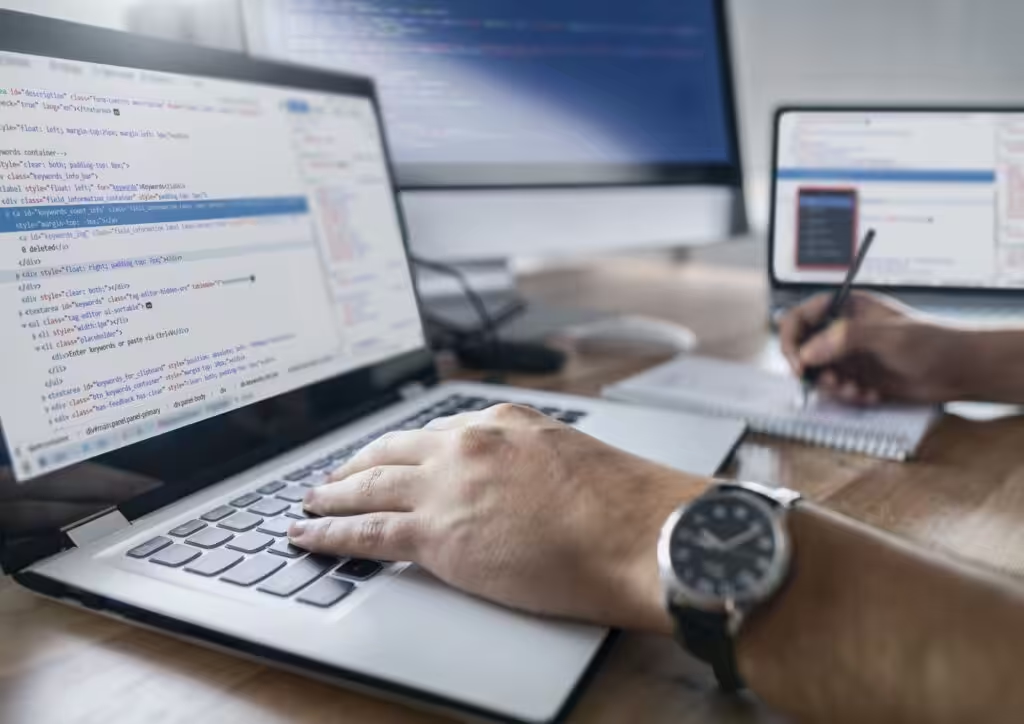
One WordPress firewall It is a protection system that filters traffic directed to the site and blocks potentially harmful requests before they can cause problems.
Its objective is to reduce the risk of automated attacks, brute-force attempts, malicious bots, and the exploitation of known vulnerabilities present in outdated plugins, themes, or configurations.
In practice, the firewall functions as a first layer of control: it analyses incoming requests and decides which can pass and which must be blocked.
Yes, a firewall is a highly recommended measure to improve WordPress security, especially if the site is business, receives constant traffic, gathers Lead supports activities commercial.
This doesn't mean every site needs the same configuration. A showcase site, an e-commerce site, and a platform with a private area will have different levels of protection.
But the principle remains the same: without a firewall, many suspicious requests arrive directly at WordPress. With a correctly configured firewall, a portion of the risks are filtered out beforehand.
A WordPress firewall can be managed in different ways.
The firewall via plugin It installs directly within WordPress. It is often simpler to activate and can offer useful features such as IP blocking, login protection, scans, and alerts.
The Server-side or cloud firewall, on the other hand, filters traffic before it reaches the site. In many cases, it's a more robust solution because it intervenes upstream and reduces the load on WordPress.
The choice depends on the type of site, hosting, traffic, features present, and level of risk. For a simple site, a basic configuration may suffice; for more strategic projects, it's advisable to consider more structured protection.
A WordPress firewall can help block various suspicious activities, including:
Not all firewalls operate in the same way and not all offer the same functions. This is why it is important Not limited to installation, my check configuration, rules active and Notifications.
A firewall is important, but is not enough on its own to make a WordPress site secure.
If the website has vulnerable plugins, weak passwords, unchecked administrator users, absent backups, or misconfigurations, the risk remains high even with an active firewall.
WordPress security It works when multiple levels work together: Updates, hardening, firewall, backup, monitoring, and proper access management.
For this reason, rather than asking “which is the right plugin to install”, it is useful to ask if the site was analysed as a whole.
Remember: the firewall is part of the protection, not the entire strategy.

Web design, development and optimisation: a website that is not only attractive, but also continues to perform thanks to ongoing technical support.
With the WeggPress method.

The’Securing WordPress it is the set of technical configurations used to reduce the website's vulnerable points.
It does not mean making WordPress impregnable, because no site can be 100%%. However, it means limit the possibility of error, unauthorised access the exploitation of configurations Weak.
In practice, hardening helps to transform a standard installation into a more controlled, secure environment suitable for business use.
Some WordPress files and folders contain important information for the website to function. For this reason, they must be protected with correct permissions and adequate configurations.
One of the most well-known examples is the “wp-config.php” file, which contains fundamental configuration data. file, directory and Technical areas not intended for users should only be accessible when necessary.
Checking file and folder permissions, securing sensitive configurations and limiting unnecessary access is one of the basics of WordPress hardening.
WordPress includes some useful functions, but not always necessary on an already published business website.
One example is the file editor from the dashboard, which allows you to directly edit themes and plugins from the administration panel. If an admin account is compromised, this feature can become a risk.
In a similar vein, it's useful to reduce publicly exposed technical details, limit overly detailed error messages and ensure that debug configurations are not active in production.
These are interventions that are not very visible to the end-user, but are important for reducing the attack surface.
Every plugin adds functionality, but also Complexity. This is why a good WordPress security practice is to only keep installed what you really need.
Plugin Unused, Duplicati, No updated o no longer supported can become a Weak point from the site. Even when disabled, in some cases it is better to remove them entirely.
The same applies to old themes, components installed for testing o Tools that are no longer used.
A more essential, updated, and orderly website is also easier to protect, monitor, and maintain over time.

Important: WordPress security doesn't end after installing a firewall, updating plugins, or applying basic hardening.
A website can be secure today and become vulnerable tomorrow, due to an unapplied update, a compromised plugin, a weak password or an undetected anomaly.
For this WordPress monitoring It is an essential part of preventionto check the site over time and identify suspicious signs before they become obvious problems.
On a WordPress site, both aspects should be monitored technicians as well as those related to security.
The main elements to check are:
These checks are important for every website, but they become even more delicate for e-commerce, portals with restricted areas, multilingual websites, or platforms that collect data via forms and integrations.
WordPress security should be checked in a continuous, not only when the site shows a problem.
Some aspects, such as uptime, malware, anomalous traffic, and suspicious logins, should be constantly monitored via Automated tools and alerts.
Other checks can be programmed with Periodic cadencechecking for updates, checking installed plugins, reviewing users, testing backups and analysing security configurations.
The frequency depends on the type of site. A showcase website may require less frequent checks than an e-commerce site or a platform with a restricted area, but No site should be left without professional maintenance for months.
A compromised WordPress site doesn't always stop working. In many cases it remains online, but Presents anomalous signals that can go unnoticed.
Some red flags include:
If one or more of these signs appear, it is important not to just fix “the symptom”. You must To understand where the problem comes from, correct vulnerability and check that the site is genuinely clean.
In these cases, a technical analysis can help to distinguish between a simple malfunction and a real compromise, and to define intervention priorities.
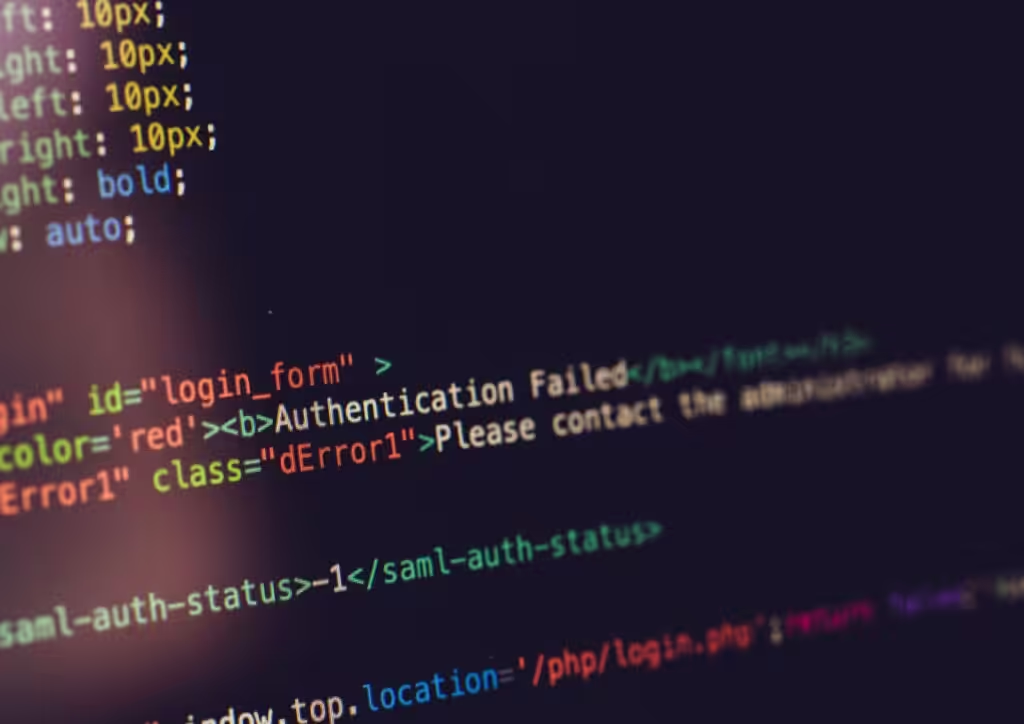
I WordPress security plugin they are useful tools, but on their own No are sufficient to protect a website.
They can help manage firewalls, malware scans, login protection, blocking suspicious IPs, alerts and basic checks. However, security it doesn't only depend on what's installed, my from how the site is configured, updated and monitored in time.
A plugin can be a good support, but it shouldn't become the sole protection strategy.
A security plugin is useful when it is chosen based on the real needs of the site and configured correctly.
It can help, for example, with:
Installing a security plugin does not automatically mean you have a secure website.
WordPress, theme and plugin they are not being updated, if administrative users are not checked, if you Passwords are weak If there is no system Backup reliable, the risk remains high.
Furthermore, security plugins must also be maintained. updated, configurations carefully and Verify over time. Settings that are too generic or alerts that are ignored can greatly reduce effectiveness.
For this, it is better to consider the plugin as a tool, not as a guarantee. WordPress security requires multiple layers: firewall, hardening, updates, backups, monitoring, and regular vulnerability checks by Professional and specialised WordPress technicians.
A technical analysis of WordPress security to understand if the website is truly secure or if it has vulnerabilities that are not visible from the outside.
You don't need to wait until the site is blocked, hacked, or flagged as dangerous. Often The problems start much earlier: Outdated plugins, missing backups, unchecked users, misconfigured firewall, or file anomalies.
Requesting an analysis means having a clearer snapshot of the website's status and understanding which interventions are a priority.
Can you start with a few simple questions:
If the answer is “I don't know” to more than one question, then probably It's time for a more thorough check.
Professional oversight is recommended when the site plays an important role for the company: it generates leads, supports sales, hosts advertising campaigns, collects data, or represents a fundamental access point to the brand.
It is also useful when the site has been published for a long time and it's unclear whether it is still updated, secure, and compatible with the latest versions of WordPress, theme, and plugins.
Some typical cases:
In these scenarios, a technical analysis allows for the identification of vulnerabilities, weak configurations, and intervention priorities before the problem arises.

The security of a WordPress site should not depend on luck or occasional checks.
With a technical analysis, you can understand if your website is updated, Protected and monitored correctly, or if there are aspects to Fix before they become critical issues.
In Wegg Agency we analyse the essential elements of WordPress securityUpdates, plugins, firewall, hardening, backup, monitoring, and possible signs of compromise.
Do you want to know if your WordPress site is truly secure?
Request a WordPress security analysis and discover which interventions are a priority for protecting your site.
WordPress security covers several aspects: technical configuration, updates, access protection, firewalls, backups, and monitoring.
Below are some quick answers to frequently asked questions.
To improve WordPress security, you need to start with the basics: update the core, theme, and plugins, use strong passwords, enable two-factor authentication, configure a firewall, implement hardening measures, and set up automatic backups.
It is also important to monitor the site over time, because security is not a one-off intervention but an ongoing activity.
The best thing is definitely leave your website in the hands of a professional technician specializing in the technical management of WordPress sites. This will give you the certainty of having a website monitored, updated ed Optimised not only constantly, but also correctly.
This choice allows you to work on prevention, to avoid problems that could affect your budgets and your brand.
Some signs may indicate that A WordPress site has been hacked: suspect redirects, indexed spam pages, unknown admin users, sudden slowdowns, browser security warnings, unusual emails, or inability to access the dashboard.
If you notice any of these signs, it is important to have a technical check to understand if it is a simple error or a genuine compromise.
The security of a WordPress site should be continuously monitored, for example monthly.
Uptime, malware, suspicious logins and anomalies should be checked using automated tools, while updates, plugins, users, backups and security configurations should be verified periodically.
The frequency depends on the type of site: an e-commerce site or a portal with a restricted area requires more frequent checks compared to a simple brochure website.