

Hacked WordPress site: what to do to restore security and protect your business
In the digital landscape of 2026, a breach is not just a technical problem, but a direct threat to your brand's credibility and positioning on generative AI.
- Practical Guides
Index
In the digital landscape of 2026, discovering that you have the WordPress site hacked is not just a technical glitch, but a crisis that directly affects the credibility and positioning of a brand. When the integrity of the platform fails, the impact is immediately reflected on customer trust and visibility built over time.
For those involved in marketing and business management, a compromised site is a challenge to be tackled with lucidity, moving quickly from the analysis phase to final safety.
WordPress: a solid platform, victim of its popularity
Before analysing the risks, it is essential to make a clarification: WordPress is an extremely secure solution for business. If statistics indicate that it is among the most affected CMSs, the reason paradoxically lies in its extraordinary success.
According to updated data from W3Techs, WordPress powers over 40% of the worldwide web. This absolute leadership makes it the main target of automated software (bots) that scan the network for unprofessionally managed installations. In the vast majority of cases, the cause of an impairment does not reside in the WordPress “engine”, but in a neglected maintenanceoutdated plugins, unverified themes or passwords that are too simple.
Choosing WordPress means relying on a technology of excellence that, if protected correctly, offers guarantees of stability superior to almost any other alternative.
Security and GEO: the importance of "Trust" in 2026
As we pointed out in our in-depth study on the Generative Engine Optimisation, research today is driven by Artificial Intelligence that rewards reliability. A hacked WordPress site instantly loses its algorithmic “trust certificate”.
Generative AIs (such as SearchGPT or Gemini) filter sources according to security: if a platform has vulnerabilities, it is excluded from the answers provided to users. Recovering this position requires “rehabilitation” work to prove that the site is once again a safe source.
Step one: recognising the signs of a hacked WP site
Many compromises are not immediately visible on the homepage. Hacking often manifests itself in subtle changes in the performance or behaviour of the platform:
- Unjustified delaysunusually slow page loading may indicate the presence of malicious scripts or hidden processes that consume server resources; they are often linked to automated activities, such as sending spam or mining.
- Anomalies in search resultsThe appearance of irrelevant links or inconsistent descriptions on Google is a sign of “SEO spam” resulting from a hacked site. In such cases, the site is exploited to place external content, compromising visibility and reputation.
- Broken communicationsIf e-mails sent from the site end up in spam, it is likely that the integrity of the server has been compromised by unauthorised mass mailings. However, the problem may also stem from incorrect configurations (SPF, DKIM, SMTP), which must be checked.
- Presence of abnormal users or content: unknown administrative accounts, unauthorised changes to certain pages or the appearance of suspicious content are clear indications of uncontrolled access to the platform.
Knowing how to read these signs is the first step to effective restoration.
Step 2: Recovery plan to get back online
If the site has been hacked, a strict method must be followed that treats not only the symptoms, but the root of the problem, to prevent the risk of hacking recurring.
Forensic analysis and immediate isolation
The first intervention is not file deletion, but analysis. It is fundamental isolate the hosting environment to stop any suspicious activity and prevent the propagation of malicious code. Through the study of access logs, it is possible to identify the specific vulnerability - be it an outdated plugin or a flaw in the theme - in order to carry out a targeted and conscious remediation.
Before proceeding with any operational intervention, however, it is essential to make a full backup of the site, including files and databases. Even in the presence of malicious code, this copy represents a crucial recovery point for subsequent analysis or targeted recovery.
In parallel, it is advisable to activate a maintenance mode or temporarily restrict access to the site via server configurations (such as .htaccess rules or application firewalls). This approach allows the attack to be contained, preventing further compromise during the analysis and remediation phases.
Deep clean-up of Database and Core files
A hacked site often hides malicious code in database tables or within seemingly harmless system files. The correct procedure involves full replacement of WordPress core files and plugins with verified original versions.
In parallel, a granular database scanning to eliminate encrypted strings, such as Base64 injections, which act as “backdoors” for future unauthorised access. In addition to these, it is common to find obfuscated payloads, scripts injected into option tables or malicious content hidden in text fields.
A thorough analysis, therefore, must include the Full database scan for anomalies, including any suspicious administrator users or unauthorised changes to system configurations. This step is crucial to eliminate any possible residual access points.
Regeneration of security keys and credentials
Restoring files is of no use if access remains open. A professional security protocol provides for the total reset of each entry point: changing hosting, FTP and database passwords. A critical step, often forgotten in DIY, is the regeneration of security keys (SALT) in the file wp-config.php, This action instantly invalidates all active sessions and forcibly disconnects anyone logged in illegally.
A full review of registered users, This includes eliminating any unauthorised access and verifying the assigned permission levels. At the same time, it is good practice to force the reset passwords for all active users, ensuring that they meet high safety standards.
Checking blacklists and requesting revisions
The last step of restoration is the return to “normality” in the eyes of the web. Once the site is clean and protected, it is necessary to check the domain's presence on international blacklists (such as Google Safe Browsing). They should therefore be manage review requests to search engines to remove warning messages discouraging users and to signal to IAs that the site trust has been fully restored.
The value of proactive management: the Wegg Agency method
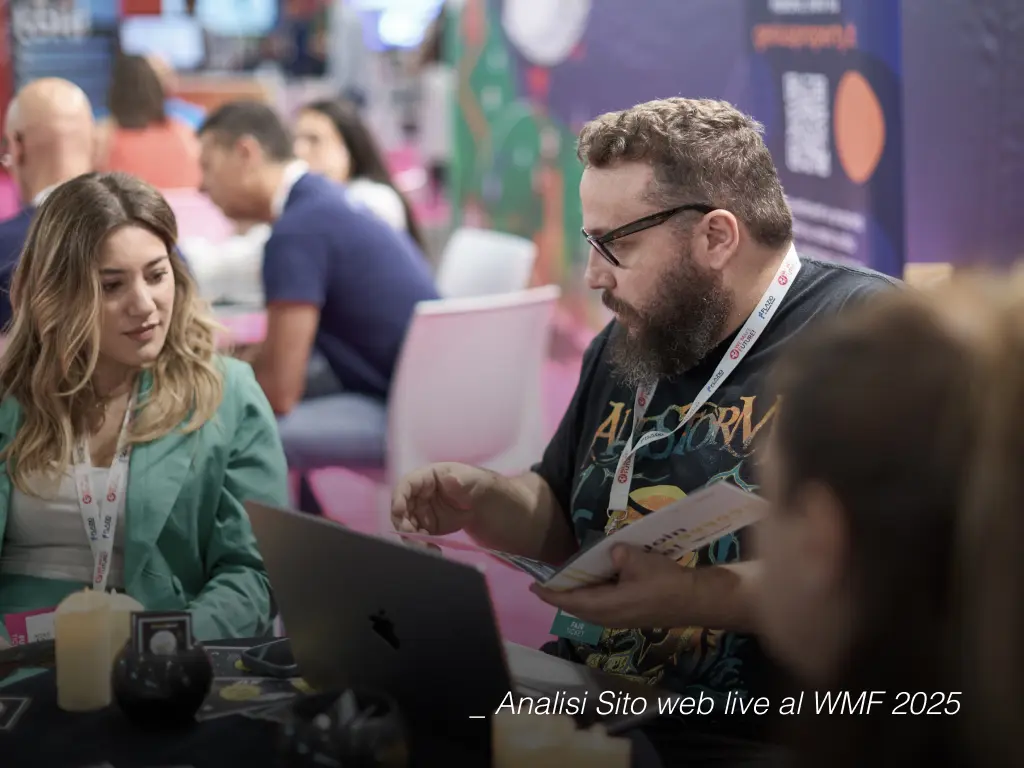
Technical management is often an “invisible” job, an activity that takes place behind the scenes. In reality, it is precisely this monitoring that ensures that business never stops and that the term “hacked” remains only a distant memory. At Wegg Agency, we turn maintenance into a strategic asset:
- Constant and preventive monitoring - Our systems detect anomalies before they turn into visible problems. We monitor uptime and security around the clock to intervene promptly and ensure the continuity of your business.
- Manual and verified updates - We do not rely on automatisms, but test each WordPress update, theme and plugin in secure environments to ensure full stability and avoid technical conflicts or sudden bugs.
- Recurring backups on external servers - We protect your data by regularly storing it on servers separate from the host server. This ensures that, even in the event of a major failure of the main server, your content is always intact and ready to be restored.
Choosing professional management means to stop chasing emergencies and start investing in the smooth and uninterrupted growth of one's digital presence.
Protecting WordPress to protect your brand: choosing an expert partner
Rely on an experienced partner means turning a potential moment of crisis - such as a hacked site - into an opportunity to consolidate its digital infrastructure. By delegating technological complexity to Wegg Agency, you can eliminate security concerns and focus exclusively on what really matters: the growth of your brand and the trust of your customers.
Remember: prevention is always more efficient than emergency management.
The Wegg team is ready to analyse the health of your company's website and protect your business with a tailor-made plan.